

Quick and Easy Setup
Get your chatbot running on your website in minutes.
Support Customers Anytime with Faster Responses
Our support resources guide you through installation, customisation, troubleshooting, and chatbot optimisation. Whether you're using WordPress, WooCommerce, Shopify, Wix, or a custom website, we're here to help you launch a chatbot that improves customer engagement and generates more leads.









Deliver Customisable Customer Support
Whether you're launching your first AI chatbot or improving an existing one, the PluginChatBot support team is here to help. We provide expert guidance for installation, configuration, integrations, and optimisation to ensure your chatbot delivers the best customer experience.
Get your chatbot running on your website in minutes.

Support for WordPress, WooCommerce, Shopify, Wix, Webflow, Squarespace, and custom websites.

Improve responses, FAQs, lead capture, and customer engagement.

Receive help with integrations, troubleshooting, and advanced configurations.

Continuously enhance your chatbot as your business evolves.

Create your PluginChatBot account, build your first chatbot, and add your business information, FAQs, products, or services.
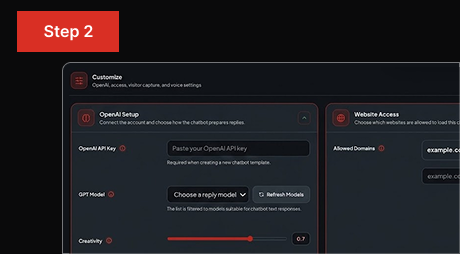
Customise the chatbot widget to match your brand, then install it on your WordPress, WooCommerce, or Shopify site—or any other website.
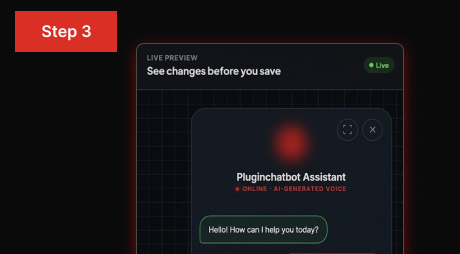
Test your chatbot experience, review visitor conversations, and continuously improve responses, lead capture, and customer engagement over time.
Collect Visitor Details for Follow-Up
A successful chatbot should continue to improve as your business grows. By reviewing customer conversations and updating your chatbot regularly, you can provide better answers, increase lead generation, and create a more engaging customer experience.
Add new questions and improve answers based on what visitors ask most.
Keep your products, services, and company information accurate and up to date.
Refine lead forms and qualification questions to generate higher-quality enquiries.
Update welcome messages, suggested questions, chatbot behaviour, and conversation flows.


