
Collect Essential Contact Details
Request important information such as the visitor's name, email address and phone number.
Turn website conversations into real opportunities
Collect visitor contact details during chatbot conversations and give your team a clear way to follow up. Choose when information is requested, manage captured leads from the PluginChatBot App, export them to CSV or send them automatically to HubSpot.






Capture interest before visitors leave
Interested visitors may leave your website before contacting your team. PluginChatBot Lead Capture allows you to request their details during the chatbot experience, creating a natural connection between website engagement and real business follow-up.
Request important information such as the visitor's name, email address and phone number.

Use captured details to continue sales, quotation, booking or support conversations after the visitor leaves.

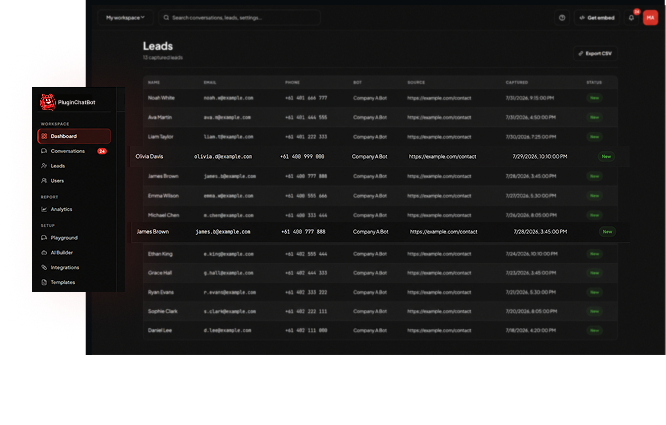
See which chatbot collected the lead and the website page where the conversation began.

Continue collecting genuine enquiries when your sales or support team is unavailable.
Set up lead capture easily
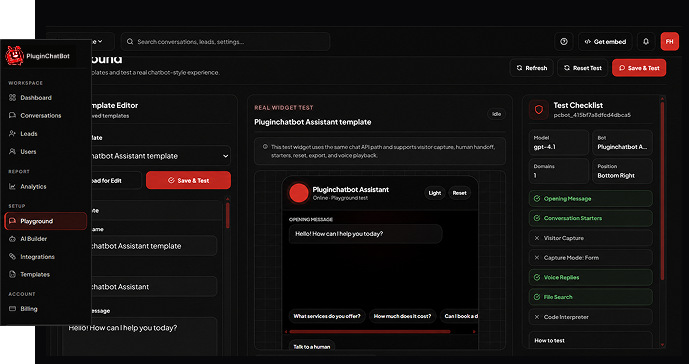
Select the visitor information your team needs, such as name, email address and phone number.
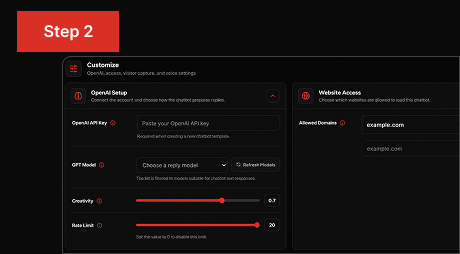
Decide whether the contact form should appear when the chatbot opens or after the visitor sends their first message.
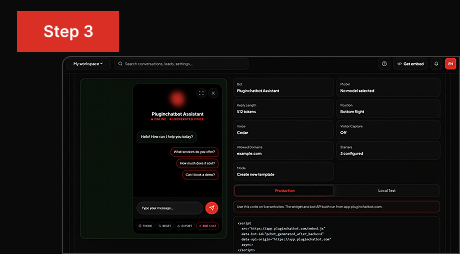
Review captured leads in PluginChatBot, export them as a CSV file or connect HubSpot to support your existing sales workflow.
Turn engagement into action
Website conversations often show genuine customer interest. PluginChatBot helps transform that interest into an actionable opportunity by collecting the information your team needs to continue the conversation.
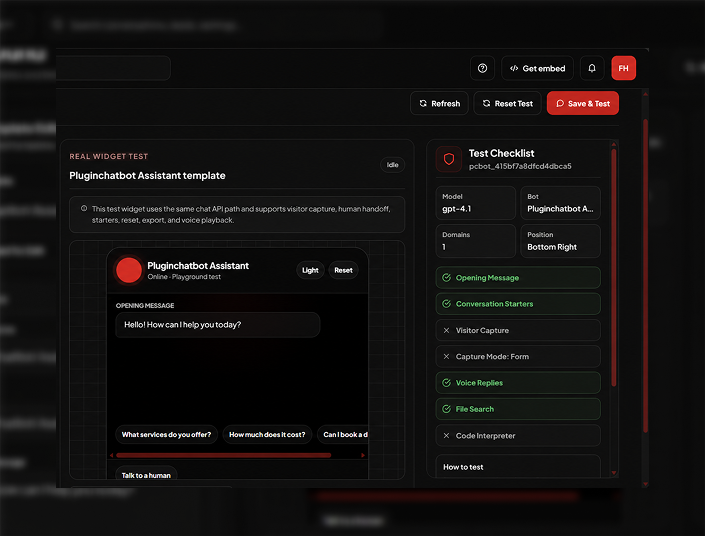
Centralised lead management
Captured leads are stored inside the PluginChatBot App, helping your team review new opportunities without relying on separate website forms or disconnected records.
Access visitor contact details from your PluginChatBot account.
See which chatbot captured each lead, helping your team understand the purpose of the enquiry.
Identify the website page where the visitor began their chatbot conversation.
Download captured leads as a CSV file for reporting, record keeping or follow-up.
 What is PluginChatBot Lead Capture?
Lead Capture allows businesses to collect visitor contact information during a chatbot conversation so their team can follow up after the visitor leaves the website.
What visitor information can be collected?Name, email address and phone number. You choose which of those the chatbot asks for.
When does the lead capture form appear?You decide: either when the chatbot is opened, or after the visitor has sent their first message.
 Can visitors start chatting before providing their details?
Yes. If you ask after the first message, the visitor can begin the conversation and is only asked once they have shown genuine interest.
 Can I export captured leads?
Yes. Captured leads can be downloaded as a CSV file for reporting, record keeping or importing elsewhere.
 Can captured leads be sent to HubSpot?
Yes. Connect HubSpot once and captured contact details are sent to your CRM automatically.
 Can Lead Capture support different types of enquiries?
Yes. Each chatbot has its own capture settings, so a sales chatbot and a support chatbot can ask for different details.
 Can Lead Capture collect enquiries after business hours?
Yes. The chatbot keeps collecting details when your team is unavailable, so nothing is lost overnight or at the weekend.
 What information is stored with a lead?
The contact details the visitor gave, which chatbot captured them, and the page the conversation started on.

