
Assist Visitors at Any Time
Give customers access to helpful information even when your team is unavailable.
Build smarter website conversations
Create AI-powered assistants that welcome visitors, answer questions and guide customers towards the right product, service, support option or next step. Build and manage multiple chatbots from one PluginChatBot account, without advanced technical knowledge.



Help visitors find answers faster
Website visitors often need help before they are ready to contact your team. PluginChatBot provides relevant answers based on your approved business information and instructions, helping visitors make progress at any time.
Give customers access to helpful information even when your team is unavailable.

Handle frequently asked questions about your products, services, policies and processes.

Direct customers towards the most relevant service, product, contact option or support resource.

Allow the chatbot to manage routine enquiries so your team can focus on conversations requiring personal attention.
Create and manage chatbots easily
Choose the purpose of your chatbot, give it a name and decide where it will be used.
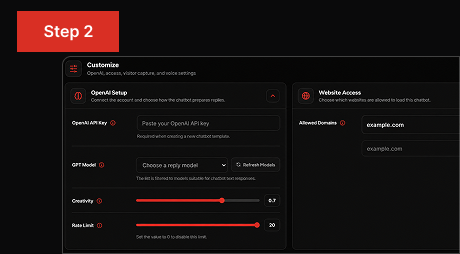
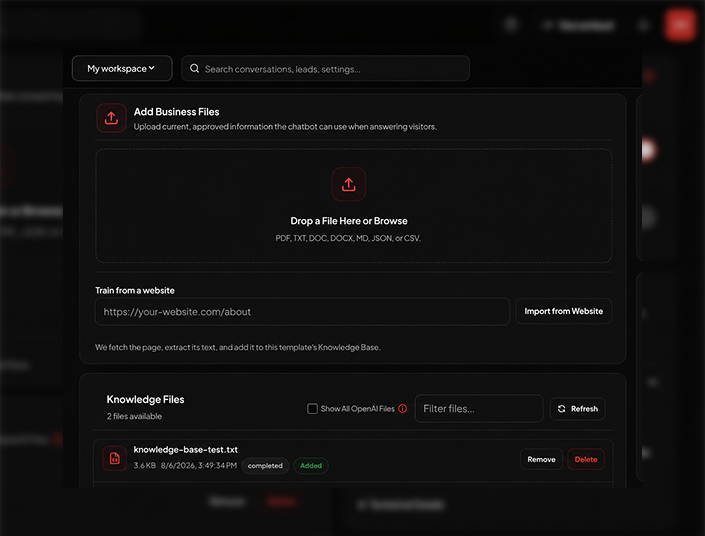
Provide the information your chatbot should use and explain how it should communicate with visitors.
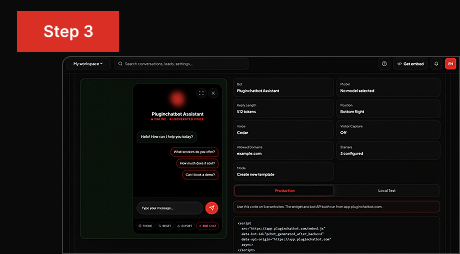
Preview conversations, refine the chatbot's responses and add it to your website using the appropriate installation method.
One platform for multiple chatbot experiences
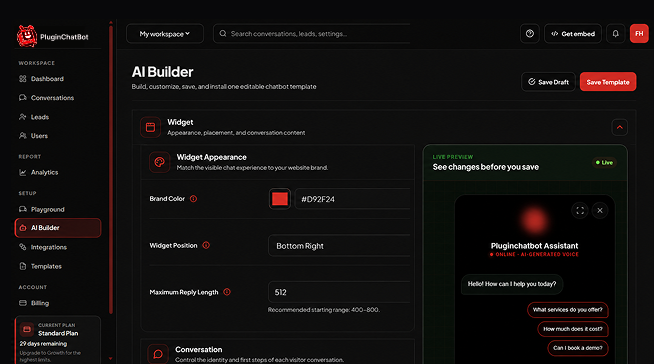
Different visitors may need different information and guidance. The PluginChatBot AI Builder allows you to create and manage multiple chatbots, each with its own knowledge, personality, settings and website access.
Centralised chatbot management
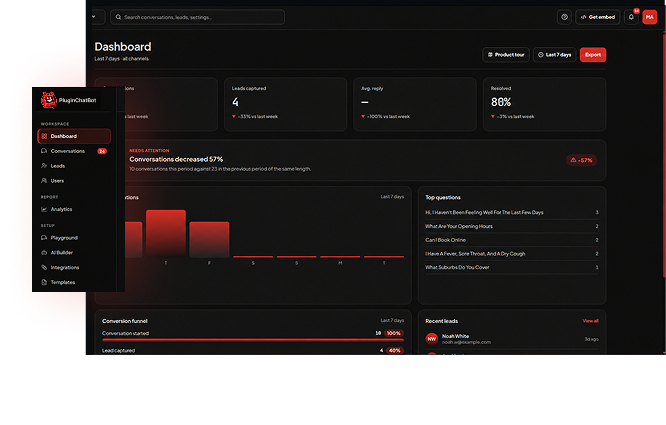
Create, update, test and manage your chatbot experiences from the PluginChatBot App. Changes can be made without rebuilding your website or managing separate systems for each chatbot.
Keep chatbot knowledge aligned with your current products, services and policies.
Create a different welcome message for each website, service or customer journey.
Choose which approved websites can display and use each chatbot.
Review sample conversations and improve instructions before making a chatbot available to visitors.
 What is the PluginChatBot AI Builder?
The AI Builder is where you create a chatbot: you give it a name and purpose, add the business information it should use, describe how it should reply, and publish it to your website.
Do I need technical knowledge to create a chatbot?No. The chatbot is set up from the dashboard by filling in fields and adding your business information. Installing it on your website is a single snippet or plugin.
 Can I create more than one chatbot?
Yes. You can create and manage multiple chatbots from one account, each with its own knowledge, personality and settings.
 Can each chatbot have different information and instructions?
Yes. Every chatbot has its own knowledge and its own instructions, so a support assistant and a sales assistant can behave differently.
Can I choose which AI model my chatbot uses?Yes. The model is chosen per chatbot from the models available on your plan.
 Can I control the length and creativity of responses?
Yes. Reply length and creativity are settings on each chatbot, so answers can be kept short and factual or longer and more conversational.
 Can I prevent the chatbot from discussing certain subjects?
Yes. Guardrails let you name subjects the chatbot should not discuss, and a fallback message it uses instead.
 Can I test my chatbot before adding it to my website?
Yes. The Playground runs the real chatbot so you can read its answers and adjust the instructions before any visitor sees it.
 Can I use PluginChatBot on different website platforms?
Yes. It works on WordPress, Shopify, Wix, Webflow, Squarespace, WooCommerce and custom-built websites.
