

Continue Website Chats on WhatsApp
Allow visitors to move from your website chatbot to WhatsApp without having to restart their enquiry.
Continue Conversations Beyond Your Website
Let visitors continue website conversations through WhatsApp Business when they need further support. Collect customer consent, keep the original conversation context, and manage follow-ups from the PluginChatBot inbox.
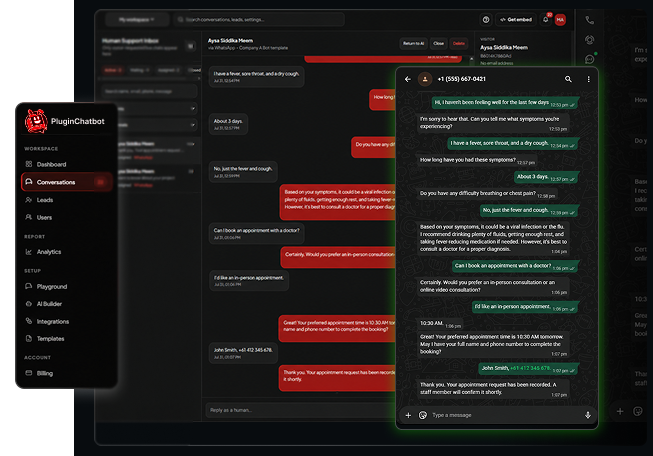





Follow our step-by-step video to connect your WhatsApp Business account, move website conversations to WhatsApp, and manage every follow-up from the PluginChatBot inbox.
Make Customer Follow-Ups Easier
Some enquiries cannot be completed during a single website visit. The PluginChatBot WhatsApp Business integration lets customers move the conversation to WhatsApp, making it easier for your team to provide quotations, booking details, service updates and ongoing support.
Allow visitors to move from your website chatbot to WhatsApp without having to restart their enquiry.

Ask visitors to confirm that they are happy to receive messages through WhatsApp before continuing the conversation.

Review and respond to WhatsApp conversations from the PluginChatBot conversation inbox.

Access the previous website conversation so your team understands what the customer needs before replying.
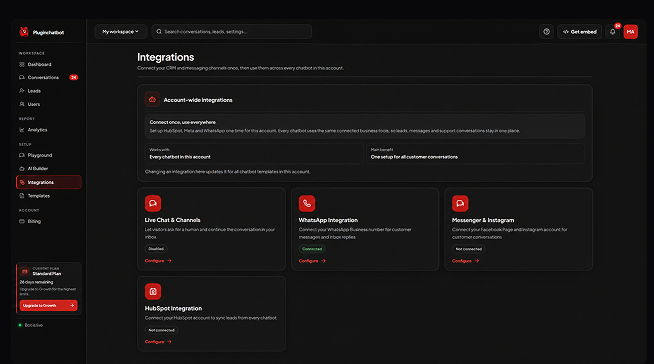
Easy WhatsApp Business Setup
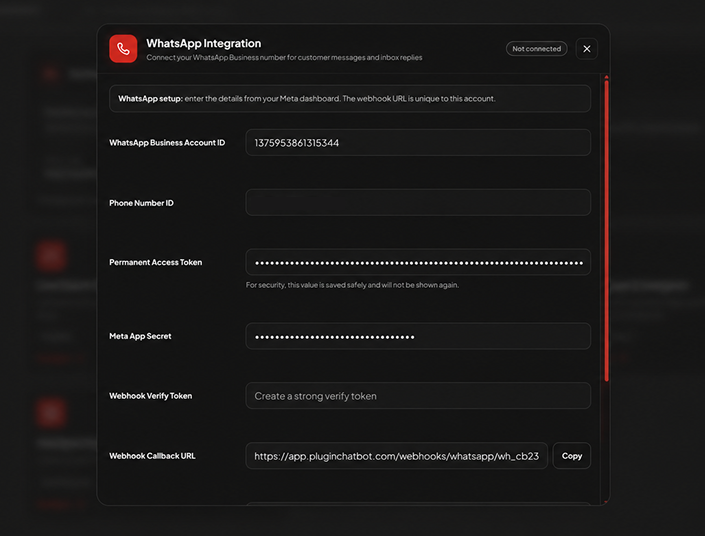
Connect an eligible WhatsApp Business setup to your PluginChatBot account and complete the required configuration.
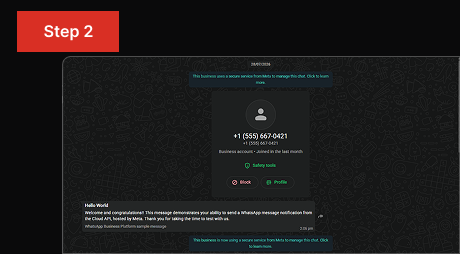
Send a test message, confirm the connection and synchronise your approved WhatsApp message templates.
Allow visitors to choose WhatsApp, provide their consent and continue conversations after leaving your website.
Collect Visitor Details for Follow-Up
Continue important conversations even after customers leave your website. PluginChatBot helps your team follow up through WhatsApp Business while keeping the original enquiry and conversation context available.
Support More Customer Conversations
From first enquiry to ongoing support, WhatsApp keeps the conversation going on the channel your customers already use every day.
Discuss products or services, follow up on quotation requests and help interested customers take the next step.
Answer booking questions, confirm appointment details and share important reminders or updates.
Keep customers informed about their orders, deliveries, bookings, requests or ongoing services.
Continue support conversations and reconnect with customers using approved WhatsApp templates when required.
What is PluginChatBot WhatsApp Business integration?It connects your website chatbot with WhatsApp Business, allowing visitors to continue conversations through WhatsApp after starting an enquiry on your website.
 Can visitors move a website conversation to WhatsApp?
Yes. Visitors can choose to continue on WhatsApp and the conversation context moves with them.
Does PluginChatBot collect customer consent?Yes. Visitors confirm they are happy to receive messages through WhatsApp before the conversation continues.
Can my team respond from the PluginChatBot inbox?Yes. WhatsApp messages are managed from the PluginChatBot conversation inbox alongside website chats.
Will the original website conversation be available?Yes. The previous website conversation is available so your team understands what the customer needs before replying.
 Can I test the integration before launching it?
Yes. You can send a test message and confirm the connection before enabling it for visitors.
 Can PluginChatBot synchronise WhatsApp templates?
Yes. You can synchronise your approved WhatsApp message templates during setup.
What happens when the WhatsApp reply window ends?When the standard reply window ends, approved WhatsApp templates can be used to re-engage the customer where eligible.
 What do I need to use this integration?
An eligible WhatsApp Business setup connected to your PluginChatBot account.

