
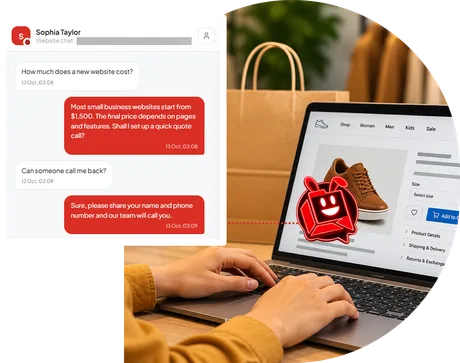
1. Contact Forms Collect Questions, but They Don't Answer Them
Contact forms are useful for collecting customer information. They allow visitors to submit questions, report problems or request assistance. For enquiries that need a detailed response, they're still an important part of customer support.
But a contact form doesn't solve the customer's problem immediately. Think about someone shopping for running shoes.
They might want to know:
- Are these shoes suitable for everyday walking?
- Do you offer exchanges if the size doesn't fit?
- How long does shipping take?
- Is this product available in another colour?
- Can I return the shoes after trying them on?
These are ordinary questions that can influence a purchasing decision. If the customer has to complete a form and wait several hours, they may decide not to continue.
How an AI Chatbot Helps
A Shopify AI chatbot can answer common questions using the store's product information, FAQs and policies.
For example:
Customer: "Can I exchange these shoes if the size is wrong?"
AI Chatbot: "Our exchange policy explains which items are eligible and how to request an exchange. Would you like me to guide you through it?"
When the chatbot has access to accurate store information, customers can get useful answers without submitting a separate enquiry.
The difference is simple: a contact form collects a question for later, while an AI chatbot can help answer it during the shopping experience.
2. Your Shopify Customers Don't Shop Only During Business Hours
Your online store is available 24 hours a day.
But your customer support team probably isn't.
People shop before work, during lunch breaks, in the evening and on weekends. Some may even be browsing from different time zones.
When a question comes up outside your operating hours, a contact form usually means waiting until your team returns.
Why This Matters
Imagine someone shopping for a birthday gift on Sunday evening. They want to know whether the order can arrive before Friday.
If they can't find an answer, they may look for another store that provides clearer delivery information.
An AI chatbot can explain your published shipping timeframes, delivery policies and order processing information at any time.
It shouldn't promise a specific delivery date unless that information can be reliably confirmed. But it can help customers understand what to expect.
The Benefit for Shopify Stores
Customers can access common support information even when your team is unavailable. This creates a more convenient shopping experience without requiring employees to be online around the clock.
3. Shoppers Often Need Help Before They're Ready to Buy
Not every customer visiting your Shopify store knows exactly what they want. Some are comparing products. Others are unsure about sizes, materials, features or which option best suits their needs.
A contact form isn't always the most convenient way to ask these questions.
Turn Product Browsing Into a Conversation:
Imagine a customer visiting an online skincare store.
Customer: "I'm looking for a moisturiser for dry skin."
AI Chatbot: "I can help you explore our moisturisers. Are you looking for something lightweight or a richer cream?"
Customer: "Something lightweight for everyday use."
AI Chatbot: "I can show you the moisturisers in our range that match that description."
This example illustrates how a chatbot trained on accurate product information could guide a customer towards relevant options.
Instead of making shoppers search through every category, the chatbot can help them narrow down their choices.
Why Product Guidance Matters:
Customers often leave websites because they can't find what they're looking for or don't understand the differences between products.
A helpful chatbot can make product discovery easier by answering questions and directing visitors towards relevant information.
The goal isn't to push customers into buying something.
It's to help them make informed decisions.
4. A Contact Form Can Interrupt the Shopping Experience
Think about the steps involved in submitting a traditional contact form.
A customer has to leave the product page or open a separate contact section, enter their details, explain the problem and wait for a response.
That's a lot of effort for a simple question.
And every additional step can make the shopping experience feel less convenient.
Keep Customers Engaged on Your Website
With a chatbot, visitors can ask questions directly through a chat window while continuing to explore your store.
For example, someone looking at a jacket might ask:
"Is this waterproof or just water-resistant?"
If the product information includes the answer, the chatbot can explain the difference.
The customer can then return to browsing without waiting for an email.
This makes customer support feel like part of the shopping journey rather than a separate process.
A good Shopify chatbot helps customers move forward without unnecessary interruptions.
5. Not Every Customer Question Needs a Human Response
Running an online store involves answering plenty of repetitive questions.
Customers frequently ask about:
- Shipping costs and delivery timeframes
- Returns and exchanges
- Product sizes and materials
- Payment methods
- Store opening hours
- Discounts and promotions
- Order and customer support procedures
These questions matter to customers, but answering them individually can take up a significant amount of your team's time.
Let AI Handle Common Questions
A chatbot trained on your store's information can help answer routine enquiries automatically.
For example, if ten customers ask about your return policy in one day, the chatbot can explain the same published policy consistently.
Your support team can then spend more time on situations requiring personal attention, such as damaged products, complex complaints or special customer requests.
What About Complicated Questions?
AI chatbots aren't a replacement for every human interaction.
If a customer needs assistance with a specific order, payment dispute or unusual issue, the chatbot should provide an appropriate way to contact your team.
The best approach combines automated assistance for routine questions with human support when it's needed.
6. AI Chatbots Can Help Capture Potential Customers
Some Shopify visitors are interested in your products but aren't ready to purchase immediately. They may be waiting for a particular product, comparing different options or planning a larger order.
A contact form can collect their details, but visitors might not think to use it unless they have a specific problem.
A chatbot can offer a more conversational way to request further assistance.
Example: A Customer Interested in a Product
Customer: "Will this dining table be available in a darker colour?"
AI Chatbot: "I can share the colour options currently listed. If you'd like to enquire about other finishes, I can help you send a request to our team."
The chatbot could then collect the customer's name, email address and product requirements with their permission.
This gives the business an opportunity to follow up with relevant information.
Why This Matters
Not every useful customer conversation leads to an immediate sale. Some lead to enquiries, repeat visits or future purchasing decisions.
Capturing relevant customer information can help your team continue those conversations.
7. Your Chatbot Can Help You Understand What Customers Are Asking
Your Shopify analytics can show you which products visitors view and where they spend time.
But they don't always explain what customers find confusing.
Chatbot conversations can provide another useful source of information.
For example, imagine customers repeatedly asking:
"Does this product come in a larger size?"
"Do you deliver to regional areas?"
"What's the difference between these two models?"
"Can I return sale items?"
These questions might reveal gaps in your website content.
Use Customer Questions to Improve Your Store
- If shoppers regularly ask about sizing, you might need a clearer size guide.
- If delivery questions are common, consider making shipping information easier to find.
- If customers struggle to compare products, improve your product descriptions or comparison information.
- By reviewing chatbot conversations, you can identify opportunities to make your Shopify website more helpful.
- This benefits customers who use the chatbot and those who prefer browsing without it.
8. Why Shopify Stores Need Both Contact Forms and AI Chatbots
Does adding an AI chatbot mean you should remove your contact form?
Not necessarily.
Contact forms and AI chatbots serve different purposes.
A contact form is useful when customers want to submit detailed enquiries, attach information or request a response from a specific team.
An AI chatbot is useful when customers want immediate guidance or answers to common questions.
When to Use Each Option
Contact forms work well for:
- Detailed complaints or support requests
- Business and wholesale enquiries
- Requests requiring manual review
- Complex questions that need a personalised response
AI chatbots work well for:
- Common product questions
- Shipping and return policy enquiries
- Product discovery and comparisons
- General store information
- Capturing enquiries outside business hours
When used together, they give customers more flexibility in how they communicate with your business.
The goal isn't to replace one support channel with another.
It's to make sure customers can get the right kind of assistance when they need it.
9. How PluginChatBot Helps Shopify Stores Support Customers
For Shopify businesses, providing a better shopping experience starts with making product and store information easier to access.
PluginChatBot helps businesses add AI-powered conversations to their websites, allowing customers to ask questions and get assistance while shopping.
Train Your Chatbot With Store Information
PluginChatBot supports a knowledge base built from website content and supported documents.
You can provide information about products, shipping, returns, FAQs and store policies.
This helps the chatbot respond using information relevant to your business.
Provide 24/7 Customer Assistance
Customers can ask common questions outside your regular business hours.
This is useful for stores receiving visitors during evenings, weekends or from different locations.
Help Customers Explore Products
A chatbot can explain product information and guide shoppers towards relevant pages based on the knowledge available to it.
Capture Customer Enquiries
When a visitor needs further assistance, PluginChatBot can help collect relevant contact details for your team to follow up.
Customise the Chatbot to Match Your Brand
You can adjust the chatbot's appearance and communication style to better suit your Shopify store.
Connect With Other Business Tools
PluginChatBot offers supported integrations, including HubSpot CRM, to help businesses organise captured leads and customer conversations.
Features and integration availability depend on your selected plan and configuration.
10. How to Add an AI Chatbot to Your Shopify Store
Getting started doesn't have to be complicated.
The most important part is preparing accurate information about your store so the chatbot can provide useful answers.
Step 1: Identify your most common customer questions.
Review the enquiries your team receives about products, delivery, returns and payments.
Step 2: Prepare your store information.
Make sure your product descriptions, FAQs and store policies are accurate and up to date.
Step 3: Create your chatbot with PluginChatBot.
Configure its appearance, welcome message, knowledge base and communication style.
Step 4: Connect it to your Shopify store.
Follow the supported Shopify installation process and configure any required permissions or integrations.
Step 5: Test realistic shopping questions.
Ask about product details, shipping, exchanges and store policies to check whether the responses are accurate.
Step 6: Review and improve the experience.
Update your knowledge base when products, policies or business information change.
A chatbot becomes more useful when you regularly review how well it answers real customer questions.
Final Thoughts: Your Shopify Store Should Do More Than Collect Enquiries
A contact form is an important part of your Shopify website, but it shouldn't be the only way customers can get help.
Online shoppers want convenient answers while they're comparing products, exploring options and deciding whether to purchase.
An AI chatbot can help make those conversations easier.
It can answer common questions, explain store policies, guide product discovery and help customers request further assistance.
That doesn't mean every visitor will become a buyer or that human customer support is no longer necessary.
It means your website can offer more ways for customers to find the information they need.
Because sometimes, the difference between someone leaving your store and continuing to shop is simply getting the right answer at the right time.
Make Your Shopify Store More Helpful With PluginChatBot
Give customers a convenient way to ask questions, explore products and get support while browsing your online store.
With PluginChatBot, you can create an AI-powered website chatbot trained on your business information and customised to match your brand.
Start your 14-day free trial and discover how AI-powered conversations can support your Shopify store.