
What Is an AI Website Chatbot?
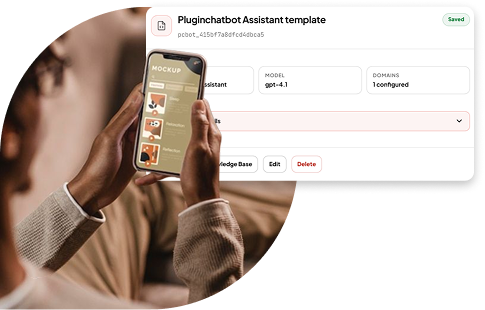
An AI website chatbot is a virtual assistant that appears on your website, usually as a small chat icon or messaging window. Visitors can ask it questions just as they would message a member of your team. The chatbot uses information approved by your business to provide a clear and relevant answer.
For example, a visitor might ask:
- Which service is best for a small business?
- How much does delivery cost?
- Do you offer weekend appointments?
- Can I return an item after 14 days?
- Do you work with Shopify or WooCommerce?
- Can someone contact me about a custom quote?
Rather than searching through menus, service pages and support articles, the visitor can simply ask for what they need. A well-prepared chatbot can answer common questions, explain your products or services, recommend relevant pages, collect enquiry details and guide visitors towards the right next step.
Why Do Businesses Use AI Website Chatbots?
People often leave a website when they cannot find an answer quickly. They may not want to read several pages, complete a long contact form or wait until the business opens. An AI chatbot gives visitors a quick and convenient way to ask for help.
Businesses commonly use website chatbots to:
- Answer questions about products, services, pricing and policies.
- Help visitors compare plans or packages.
- Direct people to booking, pricing, support or contact pages.
- Capture sales enquiries outside normal business hours.
- Collect useful information before the sales team follows up.
- Support shoppers while they research products or complete a purchase.
- Reduce repetitive questions for customer-service teams.
- Send complicated enquiries to the right person.
The main benefit is not simply having more conversations. It is helping visitors find useful answers faster and making the website easier to use.
AI Chatbots vs Traditional Chatbots
Traditional chatbots usually follow fixed rules. They show visitors a list of buttons, menus or pre-written options. For example, a traditional chatbot may ask someone to choose from:
- Check order status
- Delivery information
- Returns and refunds
- Speak to support
This approach works well for simple and predictable tasks. However, it can become frustrating when a visitor’s question does not match one of the available options.
An AI chatbot is more flexible because it can understand questions written in natural, everyday language. For example, visitors might ask:
- Is shipping free?
- What do you charge for delivery?
- How much is postage?
- Is delivery included in the price?
Although the wording is different, an AI chatbot can recognise that each visitor wants information about delivery costs.
How Does an AI Website Chatbot Work?
A chatbot may look simple to the visitor, but several things happen in the background.
1. A visitor asks a question
The conversation begins when someone opens the chat window and types a message.
The question may be short, informal or incomplete:
- I need a plan for five users. What should I choose?
- Can you help me set up an online shop?
- Do you cover Melbourne?
The visitor does not need to follow a fixed script or use specific keywords.
2. The chatbot identifies what the visitor needs
The chatbot looks at the meaning of the message and tries to understand the visitor’s goal. For example, “I need a plan for five users” suggests that the visitor wants help choosing a package. “Do you cover Melbourne?” is a question about service availability. Understanding the visitor’s intent helps the chatbot provide a relevant answer instead of simply matching individual words.
3. It searches approved business information
The chatbot looks for an answer in its knowledge base. Depending on the business, this may include:
- Website pages
- Product and service descriptions
- Current pricing
- Frequently asked questions
- Delivery and returns policies
- Booking information
- Support guides
- Business documents
- Opening hours and contact details
If someone asks about returns, the chatbot should use your latest returns policy. If they ask about a service, it should use information from the correct service page. The quality of the answer depends heavily on the quality of this content. Clear, accurate and well-organised information gives the chatbot a strong foundation.
4. It provides a useful response
The chatbot uses the information it finds to create a clear answer. It may:
- Answer the question directly.
- Explain an option in simple language.
- Ask a helpful follow-up question.
- Link to a relevant page.
- Recommend a product or service.
- Offer to collect contact details.
- Suggest speaking with a team member.
For example: For a team of five, the Standard plan could be a good starting point. It includes team access, reporting and customer support. Would you like to compare it with the Premium plan?
5. It guides the visitor towards the next step
A useful chatbot does more than answer questions. It helps visitors decide what to do next. Depending on the conversation, it might invite them to:
- View a product or service page.
- Compare plans.
- Read a helpful guide.
- Book a consultation.
- Request a quote.
- Start a free trial.
- Continue to checkout.
- Contact support.
- Speak with a team member.
The next step should always match the visitor’s needs. Someone asking about a return may need a policy link, while someone asking detailed questions about a service may be ready to request a quote.
6. Your team improves it over time
A chatbot should not be left unchanged after launch. Real conversations reveal what visitors want to know. They can also highlight missing information, confusing pages and problems in the customer journey. For example, if visitors regularly ask whether installation is included in the price, your pricing page may need a clearer explanation.
You can improve the chatbot by:
- Adding answers to repeated questions.
- Updating prices, policies and availability.
- Removing expired offers and duplicate documents.
- Improving unclear website content.
- Refining the chatbot’s instructions.
- Adding better links and calls to action.
- Creating a clearer route to human support.
Common Mistakes to Avoid
- Using outdated information: Incorrect prices, expired offers and old policies can quickly damage trust. Review your key information before launch and update it whenever the business changes.
- Trying to automate every conversation: Not every question belongs with a chatbot. Complaints, sensitive matters and complicated problems often require empathy or professional judgement.
- Asking for contact details too soon: Visitors may leave if the chatbot asks for an email address before offering any help. Provide value first and request details only when there is a clear reason.
- Giving long or confusing answers: Chat messages should be easy to scan. Use direct answers, short paragraphs and relevant links rather than overwhelming visitors with information.
- Hiding human support: People can become frustrated when they feel trapped in an automated conversation. Make it clear how they can reach a person and when they can expect a response.
- Ignoring real conversations: A chatbot needs regular attention. Review unanswered questions, repeated topics and weak responses, then use what you learn to improve both the chatbot and your website.
Example AI Chatbot Conversation
Here is a simple example for a business offering e-commerce website design.
- Chatbot: Hi! I can help you learn about our website-design services, pricing and project process. What would you like to know?
- Visitor: I need a new website for a small online shop.
- Chatbot: We can help with e-commerce website design and setup. Are you launching a new store or improving an existing one?
- Visitor: It’s a new store.
- Chatbot: Great. Our e-commerce service can help with store design, product organisation, payment setup and launch support. Approximately how many products are you planning to sell?
- Visitor: Around 100.
- Chatbot: Thanks. A tailored e-commerce package may be the best fit. Would you like to view the service details or request a quote?
- Visitor: Request a quote.
- Chatbot: Of course. Please share your name and email address, along with any important requirements. Our team will review the information and contact you about the next step.
This conversation works because the chatbot provides help before requesting contact details. It also asks relevant questions and gives the sales team useful context for the follow-up.
Turn Your Website Into a Helpful Conversation
An AI website chatbot gives visitors a faster and easier way to interact with your business. It can answer routine questions, explain products and services, recommend useful pages and capture enquiries outside office hours.
The most effective chatbots do not try to replace people. They handle straightforward questions quickly and make it easy for visitors to reach a real person when they need personal support, specialist knowledge or human judgement.
With reliable content, clear instructions and regular improvements, PluginChatBot can make your website more helpful, responsive and easier to use, at any time of day. Ready to get started? See how to add an AI chatbot to your website for a step-by-step walkthrough.