
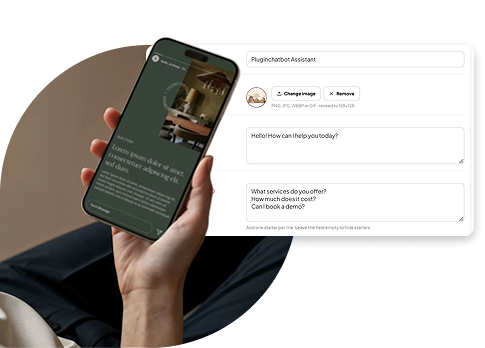
What Is an AI Chatbot?
An AI chatbot is a software assistant that uses artificial intelligence to converse with customers in natural language. Unlike old-school chat widgets that rely on fixed menus or canned replies, modern AI chatbots understand questions and provide relevant answers based on your website content, FAQs, products, services, policies, and other business knowledge.
Example: A customer asks, “Do you offer returns if the product doesn’t fit?” Instead of searching your return policy page, they get an instant, accurate answer from the chatbot.
10 Ways AI Chatbots Improve Customer Experience
1. Provide Instant Answers
Speed matters. Customers often have simple questions that don’t require a human agent: opening hours, pricing, delivery areas, return policies, shipping times, product recommendations, or how to book an appointment. An AI chatbot answers these immediately, reducing search time and smoothing the experience from the first click. Tools like PluginChatBot are built to deliver instant, AI-powered support around the clock.
2. Offer 24/7 Support
Your customers don’t only visit during business hours. Someone might browse late at night, research on the weekend, or have a question early in the morning. An AI chatbot provides assistance 24/7. It doesn’t replace your team; it handles routine questions after hours and escalates complex conversations when needed, so support isn’t limited by office hours.
3. Reduce Waiting Times
Long response times create friction, especially when customers are ready to buy or solving an urgent issue. AI chatbots respond to routine questions in seconds, not hours.
Instead of: Question → Wait → Email → Wait → Response
It becomes: Question → Instant Answer → Next Step
That small change has a big impact on how customers perceive your brand.
4. Make Websites Easier to Navigate
Not every visitor knows where to find what they need, especially on content-heavy sites. An AI chatbot acts like a virtual guide.
Example: “I’m looking for a service for a small business. Which option should I choose?” The chatbot asks follow-up questions and points visitors to the most relevant pages, creating a conversational experience instead of a maze of menus.
5. Help Customers Make Better Buying Decisions
Great customer experience starts before purchase. Many visitors hesitate because they’re unsure which product, service, or plan fits their needs. An AI chatbot can:
- Compare products for e-commerce shoppers
- Explain service packages for service businesses
- Clarify features, pricing, or integrations for SaaS buyers
PluginChatBot positions AI conversations as a way to help visitors choose confidently and move forward.
6. Personalise Conversations
Customers don’t want generic info, they want answers that relate to their situation. AI chatbots can ask clarifying questions to tailor responses.
Example:
- Customer: “I need help choosing a plan.”
- Chatbot: “How many people will be using the service?”
- Customer: “About 10.”
- Chatbot: “Based on that, here are the best-fit options.”
This feels more helpful than dumping a long list of products on the visitor.
7. Capture Leads Without Interrupting the Journey
Customer experience and lead generation can work together. Instead of forcing visitors into a static contact form, a chatbot collects information naturally during conversation.
Example: “Would you like us to send the pricing details? Please share your email.” PluginChatBot includes lead-capture flows that let businesses gather contact details through AI-powered conversations, making enquiries feel natural and reducing drop-offs.
8. Connect Customers With Human Support When Needed
AI is powerful, but not every conversation should be automated. Some issues need empathy, judgment, or access to systems a bot doesn’t have. A strong chatbot strategy includes a clear path to human handoff. PluginChatBot supports workflows that transfer visitors to your team when personal assistance is required, creating a hybrid model where AI handles routine questions and people handle the rest.
9. Create a Consistent Experience
Customers may speak to different team members at different times, which can lead to inconsistent answers. A chatbot trained on approved business information provides consistent responses to FAQs about products, pricing, hours, shipping, returns, bookings, and more. PluginChatBot lets you add business knowledge, website content, FAQs, policies, to configure accurate, on-brand answers that set clear expectations and reduce repetitive questions for your team.
10. Free Your Support Team for Complex Work
AI chatbots don’t have to replace customer service staff. They help employees focus on conversations where their expertise matters most. If your team receives hundreds of weekly questions like “What time do you open?”, “Where do you deliver?”, “How do I book?”, or “What payment methods do you accept?”, an AI chatbot can answer these instantly, so your team can spend more time on complex issues, complaints, technical problems, and high-value conversations.
A Simple Example: Before and After
Without a chatbot, an online clothing store customer might:
- Visit the site
- Search for a product
- Hunt for sizing info
- Look up shipping details
- Find the return policy
- Email another question
- Wait for a response
With an AI chatbot, the same customer can ask: “I’m looking for a medium jacket. How long will delivery take, and can I return it if it doesn’t fit?” The chatbot provides relevant info immediately and guides them to the right product. If more help is needed, the conversation transfers to a human.
The value? Removing unnecessary friction from the journey.
What Makes an AI Chatbot Good for CX?
Simply adding a chatbot isn’t enough. A poor bot can worsen experience if it gives irrelevant answers, misunderstands questions, or blocks access to humans. Focus on these factors:
- Accurate business information: Reliable, up-to-date knowledge base
- Clear conversation design: Visitors understand what the bot can do and how to start
- Human handoff: A clear path to a real person for complex or sensitive issues
- Brand consistency: Tone and experience match the rest of your website
- Continuous improvement: Review conversations to fix gaps and reduce friction
PluginChatBot provides tools to customise the bot, add business knowledge, configure behaviour, and monitor conversations, so you can iterate and improve.
How to Implement an AI Chatbot on Your Website
Getting started doesn’t require a big development project. With PluginChatBot, you can create a bot, configure its AI and business knowledge, customise its look, and add it to your site via an embed code. It supports WordPress, WooCommerce, Shopify, Wix, Webflow, Squarespace, and custom sites. For the full walkthrough, see how to add an AI chatbot to your website.
Typical implementation:
- Identify common customer questions from support emails, forms, live chats, and FAQs.
- Add your business knowledge so the bot can answer accurately.
- Define the bot’s role, what it handles and when to transfer to a human.
- Install the widget using your platform’s integration or embed method.
- Test real scenarios with realistic questions to ensure useful, accurate answers.
- Monitor and improve by reviewing conversations and updating as products, services, policies, and customer needs change.
The Future of Customer Experience Is Conversational
Customer experience is increasingly about convenience. People want businesses available when they need them, quick answers, and easy next steps. AI chatbots support this shift by providing immediate assistance, guiding decisions, capturing enquiries, and connecting visitors with human support when necessary.
The goal isn’t to remove people from customer service, it’s to remove unnecessary friction so your team can focus on interactions where human expertise matters most.
Improve Customer Experience With PluginChatBot
If you’re looking to add AI-powered support to your website, PluginChatBot offers automated customer support, lead capture, product and service guidance, integrations, and human handoff. Start by identifying the questions your customers ask most often, and use AI to provide immediate answers.
A better customer experience doesn’t always require a full website redesign. Sometimes, it starts with giving visitors a faster way to get the help they need.
Ready to improve your website’s customer experience? Explore PluginChatBot and see how an AI chatbot can help your business deliver faster, more convenient support.