
Why Connect an AI Chatbot with HubSpot CRM?
An AI chatbot helps your website communicate with visitors, answer common questions and collect enquiries. HubSpot CRM helps you organise customer information and manage relationships. When these two tools work together, you can create a smoother process from the first website conversation to the next sales follow-up.
Imagine someone visits your website looking for a service quote. They start chatting with your AI chatbot, ask a few questions and provide their name and email address. Instead of manually transferring that information to HubSpot, your chatbot can send the captured details directly to your connected CRM.
Your team can then review the enquiry and continue the conversation with a better understanding of what the visitor needs. This connection is particularly useful for small businesses, agencies, ecommerce stores and sales teams handling multiple website enquiries.
How PluginChatBot Works with HubSpot CRM
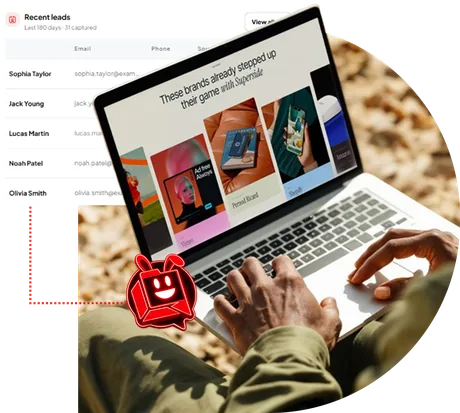
PluginChatBot connects website conversations with your HubSpot CRM account, making it easier to collect and organise potential customer information. When a visitor shares their details through the chatbot, PluginChatBot can automatically synchronise that information with HubSpot. The integration supports several useful capabilities:
- Automatic lead synchronisation: Send captured names, email addresses, phone numbers and enquiry details to HubSpot.
- Contact creation and updates: Create new contacts or update matching existing records.
- Conversation transcripts: Keep chatbot conversations connected to the relevant contact record.
- AI-generated summaries: Give your team a quick overview of what each visitor discussed.
- Centralised lead information: Manage captured website leads within your connected HubSpot account.
Rather than treating every chatbot conversation as an isolated interaction, your business can turn captured enquiries into organised CRM records.
Step-by-Step: How to Connect PluginChatBot with HubSpot CRM
Connecting your AI chatbot with HubSpot doesn't need to be complicated. PluginChatBot provides an integration process that allows you to authorise your HubSpot account and enable lead synchronisation.
Step 1: Log In to Your PluginChatBot Account
Start by signing in to your PluginChatBot dashboard. Make sure your website chatbot is configured to engage visitors and collect the contact information your business needs.
If you're new to PluginChatBot, you can create an account and set up your website chatbot before connecting HubSpot.
Step 2: Connect Your HubSpot Account
Open the HubSpot integration settings in PluginChatBot and select the option to connect your HubSpot account. You'll need to authorise the connection so PluginChatBot can send captured lead information to your CRM. Follow the on-screen authorisation process to complete the connection.
Step 3: Enable Lead Synchronisation
Once your HubSpot account is connected, configure the integration to synchronise captured lead details. Depending on the information collected during the chatbot conversation, this can include:
- Visitor name
- Email address
- Phone number
- Enquiry details
- Conversation transcript
- AI-generated conversation summary
These details help your team understand both who contacted your business and what they were interested in.
Step 4: Test Your Chatbot Connection
Before relying on the integration for real enquiries, run a quick test. Open your website chatbot as a visitor, start a conversation and provide sample contact information.
Then check your HubSpot CRM account to confirm that the contact was created or an existing matching record was updated. Review the available conversation information to make sure your team receives the details it needs.
Step 5: Start Managing Website Leads in HubSpot
Once the connection is working, PluginChatBot can automatically send newly captured leads to HubSpot. Your sales team can review the contacts, understand their enquiries and manage follow-up activities through the CRM.
Want to see the connection process? Visit our HubSpot Chatbot Integration Guide for more information and the step-by-step setup video.
5 Benefits of Connecting Your AI Chatbot with HubSpot
1. Capture Website Leads Automatically: Not every website visitor is ready to call your business or complete a traditional contact form. Some prefer to ask questions first. An AI chatbot gives visitors a convenient way to interact with your website and share their contact details during a conversation.
With HubSpot connected, captured leads can be transferred to your CRM without requiring someone to enter the information manually.
2. Reduce Manual Data Entry: Copying names, email addresses and enquiry details from chatbot conversations into a CRM takes time. It also creates opportunities for mistakes. By synchronising captured information automatically, PluginChatBot helps reduce repetitive administrative work so your team can focus on responding to customers.
3. Keep Customer Conversations Organised: A contact name and email address don't always tell your sales team enough. What service was the visitor interested in? Did they ask about pricing? Were they looking for immediate assistance? PluginChatBot can send conversation transcripts and AI-generated summaries to HubSpot, giving your team useful background information before following up.
4. Reduce Duplicate Contact Records: A returning visitor might already exist in your HubSpot database. Instead of creating a new contact every time matching information is found, the integration can update an existing record. This helps keep customer information organised and reduces unnecessary duplication.
5. Help Your Sales Team Follow Up Faster: When lead information is scattered across different tools, responding to enquiries can become unnecessarily difficult. By keeping captured contact details and conversation context together in HubSpot, your sales team can spend less time searching for information and more time engaging with potential customers.
Real-World Example: From Website Conversation to CRM Lead
Let's look at a simple example. Imagine you run a digital marketing agency. A visitor lands on your website and asks your AI chatbot:
"Do you offer SEO services for small businesses?"
The chatbot responds using the information you've provided about your services.
The visitor continues the conversation, asks about pricing and shares their name, email address and business requirements. With PluginChatBot connected to HubSpot:
- The visitor's captured contact details are sent to HubSpot CRM.
- A new contact is created, or a matching existing contact is updated.
- The chatbot conversation and AI-generated summary provide additional enquiry context.
- Your sales team can review the contact record and decide on the appropriate next step.
Instead of losing the conversation after the visitor leaves your website, your team has the information needed to continue the enquiry. The same approach can work for consultants, service providers, ecommerce businesses and other organisations that receive customer questions through their websites.
Best Practices for Managing Chatbot Leads in HubSpot
Connecting your tools is an important first step, but how you manage the information matters too.
Ask for relevant information: Keep your chatbot's lead capture process simple. Request details that genuinely help your team respond, such as a name, email address and reason for contacting your business.
Keep your chatbot knowledge updated: Make sure your chatbot has accurate information about your products, services and common customer questions.
Review conversation summaries: Use the available conversation context to understand what the visitor needs before sending a follow-up message.
Organise your CRM workflow: Establish a clear process for reviewing new contacts, assigning follow-up responsibilities and tracking sales opportunities in HubSpot.
Respect customer privacy: Explain how contact information will be used, collect appropriate consent where required and avoid requesting unnecessary sensitive information.
A well-organised lead management process helps your team make better use of the information your chatbot collects.
Who Can Benefit from a HubSpot CRM Chatbot Integration?
Businesses of different sizes can benefit from connecting their website chatbot to a CRM.
- Small businesses can organise incoming website enquiries without spending extra time transferring information between tools.
- Sales teams can access captured lead details and conversation context to prepare more relevant follow-ups.
- Marketing agencies can use connected chatbot and CRM workflows to support lead collection for their own websites or client projects.
- Ecommerce businesses can collect customer enquiries about products, availability and purchasing decisions.
- Service-based businesses can capture requests for quotes, consultations and general service information.
The goal is simple: make it easier to turn website conversations into useful customer information.
Make Every Website Conversation Count
An AI chatbot can do more than answer website questions. When connected to your CRM, it can also help your business collect leads, organise customer information and prepare for more meaningful follow-ups. By connecting PluginChatBot with HubSpot CRM, you can reduce manual data entry, keep conversations linked to customer records and give your team a clearer picture of incoming enquiries.
Whether you're running a small business, managing an online store or handling leads for multiple clients, connecting your chatbot with HubSpot can help create a more organised lead management process.
Ready to Connect Your AI Chatbot with HubSpot?
Turn website conversations into organised CRM leads with PluginChatBot. Capture contact details, synchronise customer information and give your sales team the context it needs to follow up.