
What Is an AI Chatbot for Lead Generation?
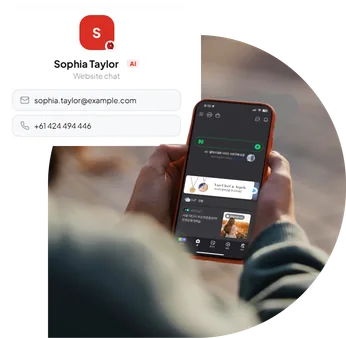
An AI chatbot for lead generation is a conversational tool designed to engage website visitors and turn their interest into potential sales opportunities. Unlike traditional contact forms, which require visitors to submit information before receiving a response, AI chatbots can answer questions and gather details naturally during a conversation.
- For example, imagine someone visits a digital agency website looking for website development services. Instead of searching through several pages, the visitor can ask:
- Visitor: “How much does a business website cost?”
- AI Chatbot: “The cost depends on the features and functionality you need. Are you looking for a simple business website or an e-commerce store?”
- Visitor: “A small e-commerce website.”
- AI Chatbot: “I can help you request a quote. Would you like to share your email address so the team can follow up?”
This interaction helps the business understand the visitor’s requirements while creating an opportunity for a relevant sales follow-up. The goal is not simply to collect contact details. It is to provide useful information, understand customer needs and make the next step easier.
How Does an AI Chatbot Generate Leads?
An AI chatbot supports lead generation by combining instant communication, customer assistance and structured information collection.
1. Engages Website Visitors Instantly
When visitors arrive on your website, they may have questions about your products, pricing, services or availability.
An AI chatbot gives them a convenient way to ask those questions without searching through multiple pages or waiting for an email response.
A simple welcome message such as “Hi! Looking for a service or need help choosing a product?” can encourage visitors to start a conversation.
This initial engagement creates an opportunity to identify their interests and guide them towards a relevant action.
2. Captures Contact Information Naturally
Traditional lead generation often depends on contact forms. While forms remain useful, some visitors prefer to ask questions before sharing their information. An AI chatbot can provide assistance first and request contact details when they become relevant. Depending on the business, useful lead information may include:
- Name and email address
- Phone number
- Product or service of interest
- Project requirements
- Preferred contact method
Collecting only the necessary information makes the process simpler and more comfortable for visitors.
3. Qualifies Potential Customers
Not every website visitor is ready to make a purchase. Some are researching options, while others have an immediate requirement. An AI chatbot can ask relevant questions to help identify customer intent. For example, a service business might ask:
- What service are you interested in?
- When do you need the service?
- Do you have a preferred budget range?
- Would you like to speak with our team?
These answers provide useful context for the sales team and help prioritise follow-up conversations.
4. Supports Lead Generation 24/7
Customers don’t always visit websites during business hours. Someone might explore your services late at night, compare products during the weekend or request information while your team is unavailable. An AI chatbot can continue answering common questions and collecting enquiries outside normal working hours.
This means businesses can capture potential opportunities without requiring staff to be available around the clock.
5. Guides Visitors Towards Conversion
A useful chatbot does more than answer questions. It helps visitors understand what to do next. Depending on their needs, the chatbot can guide them towards requesting a quote, exploring a product, contacting sales or booking a consultation.
By providing relevant guidance during the conversation, businesses can create a smoother journey from initial interest to enquiry.
Benefits of Using an AI Chatbot for Lead Generation
AI chatbots can support businesses of different sizes, from small service providers to growing e-commerce brands.
Faster Responses to Customer Enquiries
Visitors often expect quick answers. An AI chatbot can respond immediately to common questions about services, pricing, business hours and product information.
This reduces unnecessary waiting and helps visitors make informed decisions.
More Opportunities to Capture Leads
Some visitors may leave a website without completing a traditional contact form.
A conversational chatbot creates another opportunity to engage those visitors and collect their details when appropriate.
Better Lead Qualification
By asking relevant questions, chatbots can help businesses understand what potential customers need before a team member contacts them.
This gives sales teams more context and can make follow-up conversations more productive.
Reduced Repetitive Work
Sales and support teams frequently answer similar questions.
An AI chatbot can handle common enquiries automatically, allowing employees to focus on complex customer needs and high-value conversations.
A More Personalised Website Experience
Rather than presenting every visitor with the same information, an AI chatbot can respond based on their questions and interests.
This makes it easier to direct visitors towards the products, services or information most relevant to them.
AI Chatbot vs Traditional Contact Forms
Both chatbots and contact forms can help businesses collect enquiries, but they provide different experiences.
| Feature | AI Chatbot | Traditional Contact Form |
|---|---|---|
| Visitor interaction | Two-way conversation | One-way submission |
| Response time | Immediate automated replies | Usually requires follow-up |
| Lead qualification | Can ask follow-up questions | Limited to predefined fields |
| Availability | 24/7 automated assistance | 24/7 submission |
| Personalisation | Responds to visitor needs | Generally static |
| Customer guidance | Can explain and recommend next steps | Limited during submission |
A contact form remains a useful option for visitors who already know what they need.
However, an AI chatbot can be especially valuable when customers need guidance before submitting an enquiry. For many businesses, using both tools together provides a more flexible experience.
How to Set Up an AI Chatbot for Lead Generation
Setting up a lead generation chatbot does not have to be complicated. The key is to give it a clear purpose and the right business information.
Step 1: Define Your Lead Generation Goal
Before creating a chatbot, decide what you want it to achieve. For example, your primary goal might be to collect quote requests, capture consultation enquiries, identify interested shoppers or help visitors contact your sales team.
Starting with a clear goal makes it easier to design useful conversations and measure performance.
Step 2: Choose an AI Chatbot Platform
Select a chatbot solution that supports your website and lead generation requirements.
Look for capabilities such as AI-powered conversations, contact information collection, custom business knowledge, conversation history and integrations with your existing tools.
PluginChatBot provides a no-code approach to building website chatbots that can answer visitor questions and capture enquiries.
Step 3: Add Your Business Knowledge
Your chatbot needs accurate information to provide helpful answers.
Prepare relevant content such as product descriptions, service details, frequently asked questions, pricing information, policies and contact details.
With the PluginChatBot Knowledge Base, you can connect approved business information to help the chatbot provide more relevant responses.
Review this information regularly to prevent outdated answers.
Step 4: Configure Lead Capture
Decide what information your team needs to follow up with potential customers.
For a simple enquiry, a name, email address and short description may be enough.
More detailed sales enquiries might require additional information about the service, project timeline or requirements.
Avoid requesting unnecessary personal information. Explain how submitted details will be used and provide access to your privacy policy.
Step 5: Customise the Chatbot Experience
Your chatbot should feel like a natural part of your website. Use a welcome message that reflects your business, choose suitable branding colours and provide helpful conversation starters.
For example: “Welcome! Need help finding the right service or requesting a quote? I’m here to help.”
Keep the opening message friendly, direct and relevant to the visitor.
Step 6: Install the Chatbot on Your Website
Once configured, add the chatbot to your website using the installation method supported by your platform.
PluginChatBot supports website embedding and WordPress installation, making it possible to add a chatbot without advanced coding knowledge.
You can follow the PluginChatBot installation guide for setup instructions.
Step 7: Test and Improve
Before launching, test realistic customer questions and lead capture conversations. Check whether the chatbot provides accurate answers, requests appropriate information and directs visitors towards the right next step.
After launch, review conversations regularly and update your chatbot based on customer behaviour and feedback.
How PluginChatBot Helps Businesses Capture More Leads
PluginChatBot is designed to help businesses turn website conversations into actionable enquiries.
Instead of relying entirely on traditional contact forms, businesses can use AI-powered conversations to support visitors and collect relevant information.
AI-Powered Customer Conversations
PluginChatBot can answer common customer questions about products, services, pricing and business information.
This helps visitors find useful answers while keeping them engaged with your website.
Built-In Lead Capture
The PluginChatBot Lead Capture feature allows businesses to request visitor contact information during conversations.
Captured leads can be managed through the PluginChatBot App, making it easier to review enquiries and prepare follow-ups.
Lead Management and CRM Integration
For businesses using CRM software, PluginChatBot offers supported integration options, including HubSpot.
Depending on the selected plan and configuration, captured leads can be transferred into connected workflows to support sales follow-up.
Business Knowledge Integration
PluginChatBot allows businesses to provide approved information that the chatbot can use when answering questions.
This helps create more relevant responses about the organisation’s products, services and policies.
WordPress and Website Integration
Businesses can add PluginChatBot to WordPress websites or use the supported embed method on other compatible websites.
This provides flexibility for businesses that want AI-powered assistance without rebuilding their existing website.
Note: Some advanced features and integrations depend on the selected PluginChatBot plan.
Best Practices to Generate Qualified Leads with AI Chatbots
Installing a chatbot is only the beginning. The quality of its conversations has a major influence on the value of the enquiries it collects.
Focus on Helping Before Selling
Visitors are more likely to engage when the chatbot provides useful assistance. Answer their questions first, then introduce a relevant next step such as requesting a quote or contacting the team.
Avoid asking for personal details immediately unless they are necessary to fulfil the visitor’s request.
Keep Conversations Short and Clear
Long conversations and excessive questions can discourage visitors. Use simple language and ask only the questions needed to understand their requirements. For example, asking about the required service and preferred timeline may be more useful than presenting a lengthy questionnaire.
Use Relevant Calls to Action
A chatbot should guide visitors towards a meaningful next step. Examples include:
- Request a Free Quote
- Book a Consultation
- Speak with Our Team
- Explore Our Services
- Get Product Information
Choose calls to action based on what the visitor is trying to accomplish.
How to Measure AI Chatbot Lead Generation Performance
Measuring results helps businesses understand whether their chatbot is creating meaningful opportunities.
Some useful metrics include:
Chat Engagement Rate
The percentage of website visitors who start a chatbot conversation. This helps businesses understand how effectively their chatbot attracts visitor interaction.
Lead Capture Rate
The percentage of chatbot conversations that result in a captured lead. A higher rate may indicate that the chatbot is successfully encouraging visitors to share their information.
Lead Qualification Rate
The percentage of captured leads that meet your business’s qualification criteria. This helps measure lead quality rather than simply counting contacts.
Lead-to-Customer Conversion Rate
The percentage of chatbot-generated leads that eventually become paying customers. This connects chatbot activity with actual business outcomes.
Cost per Lead
The total cost of running the lead generation process divided by the number of leads captured. This helps businesses evaluate the efficiency of their chatbot investment.
Tracking these metrics over time can help identify opportunities to improve chatbot performance and sales follow-up.
Turn Website Conversations into Business Opportunities
Generating leads is not just about attracting more website traffic. It is about helping the right visitors find answers, understand your services and take the next step.
An AI chatbot for lead generation can support that process by providing instant assistance, collecting useful information and helping businesses identify potential customers.
When combined with accurate business knowledge, thoughtful lead capture and timely follow-up, AI-powered conversations can become a valuable part of your lead generation strategy.
Ready to Turn More Website Visitors into Potential Customers?
With PluginChatBot, you can build an AI-powered website chatbot, answer customer questions and capture leads through natural conversations.
Start Your Free PluginChatBot Trial or Explore PluginChatBot to get started.